

Instagram and Messenger already concentrate a significant part of doubts, requests, and sales opportunities in companies with an active digital presence. When the operation grows, the volume of messages increases faster than the team's capacity. A chatbot on these channels creates a predictable service flow, reduces response time, and organizes demands before being passed on to an attendant.
The functionality of Chatbot for Instagram and Messenger on Plusoft Social was designed to automate conversations with consistency, offer menu-guided paths, and use a knowledge base to answer recurring questions with quality.
Why automate customer service on Instagram and Messenger
- High expectation of a quick response: users enter these channels seeking immediate feedback on price, availability, deadline, status, and support.
- Demand peaks that are difficult to absorb: campaigns, launches, and crises increase volume in minutes.
- Repetitive messages consume capacity: recurring questions occupy service that could be solving complex cases.
- Conversations saw operational data: when structured, they feed reports and help prioritize product, communication, and journey improvements.
How does the chatbot work on Plusoft Social
The implementation starts from conversation flows with clear objectives, such as screening, resolution, lead capture, or direction. From there, the platform enables resources to make the experience predictable for the customer and operationally efficient for the team.
Automated responses with quality standards
The chatbot delivers quick answers with consistent texts, reducing variation between attendants and avoiding gaps in critical information (deadlines, policies, procedures, and guidelines). This pattern is useful in support, customer support, and pre-sales routines.
Personalization by context and history
When there is integration with data and/or CRM, the flow can adapt messages by customer situation, relationship stage, and topic of conversation. This adjustment reduces friction because the user is provided with a path that is more compatible with demand.
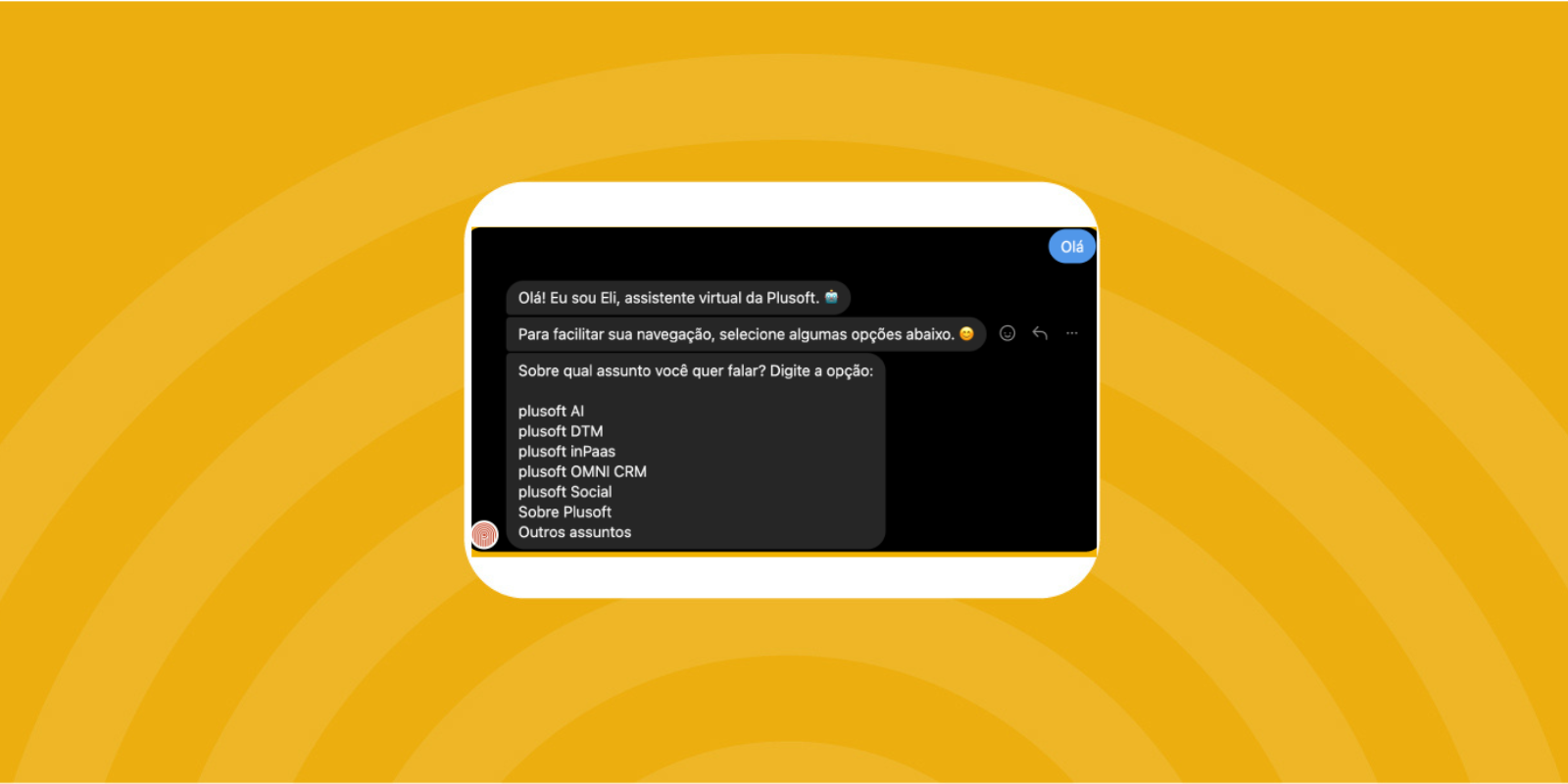
Interactive menu to guide the user
Interactive menus reduce ambiguities and accelerate screening. Instead of relying on free text, the user chooses options such as “follow up on the order”, “exchanges and returns”, “duplicate”, “talk to the attendant” or “I want to buy”. This decreases the time to resolution and improves the correct forwarding rate.
Knowledgebase integration
The chatbot can consult a knowledge base to answer FAQs and operational guidance. This feature reduces rework, improves information consistency, and facilitates updates when rules change.
Most common use cases
- Frequently Asked Questions (FAQ): schedules, policies, payment methods, coverage, documentation, deadlines.
- Support screening: classification of the topic, collection of minimum data and prioritization by urgency.
- Referral by subject: routing to queues, areas, or specialized agents.
- Capturing leads: initial qualification, collection of contact and intent, registration for follow-up.
- Status update: targeting follow-up channels, when applicable.
- After-hours service: reception with guidance, data collection and promise of return with SLA.
Measurable benefits in the operation
The gains are clearer when accompanied by metrics. In chatbot projects, the most useful indicators for management are:
- First response time: direct impact on the perception of service.
- Containment fee: percentage of conversations resolved without a human agent.
- Average resolution time: effect of the menu and the knowledge base on efficiency.
- Volume by reason of contact: basis for product adjustments, communication, and self-service.
- Post-service CSAT/NPS (when applied): perception of value in the channel.
Best practices for configuring the chatbot with stability
- Map contact reasons by volume and criticism: prioritize what arrives the most and what costs the most when it fails.
- Define transfer point to human: establish objective criteria, such as keywords, response attempts, complaints, and sensitive topics.
- Standardize tone of voice and approved variations: improves consistency and reduces the risk of inadequate responses.
- Maintain a governed knowledge base: include assignees, review frequency, and version control.
- Create service logs and audit: facilitates continuous improvement and incident support.
- Apply LGPD guidelines: minimize collection, make the purpose clear, and retain only what is necessary for operation and compliance.
Plusoft Social in the context of its ecosystem
O Plusoft Social is part of the Plusoft portfolio and operates on more than 14 channels, with interaction monitoring, trend analysis and reports/dashboards for decision-making. When combined with social listening, the operation gains visibility on emerging themes, critical mentions, and content and relationship opportunities.
In scenarios of crisis management, the automation helps to organize the first service and standardize initial guidelines, while the reports support the reading of the volume, sentiment, and evolution of the topic over time.
Next steps
If you want to structure service in Instagram and Messenger with chatbot, the most efficient path begins with a volume diagnosis, contact reasons, and operational goals. From this, the flows are designed, the knowledge base is connected and the metrics enter into a monitoring routine.
To understand how to apply the Instagram and Messenger Chatbot to your operation with Plusoft Social, talk to a Plusoft specialist.